A guide to Claude Code on your phone
Run Claude Code from your iPhone, not a terminal on it.
The usual recipe is an SSH app, tmux and a tunnel, then a terminal on a phone keyboard. Perch puts the parts you need on the phone instead: Allow and Deny on the alert, Claude’s questions as taps, and with Perch Pro the conversation and a reply box.
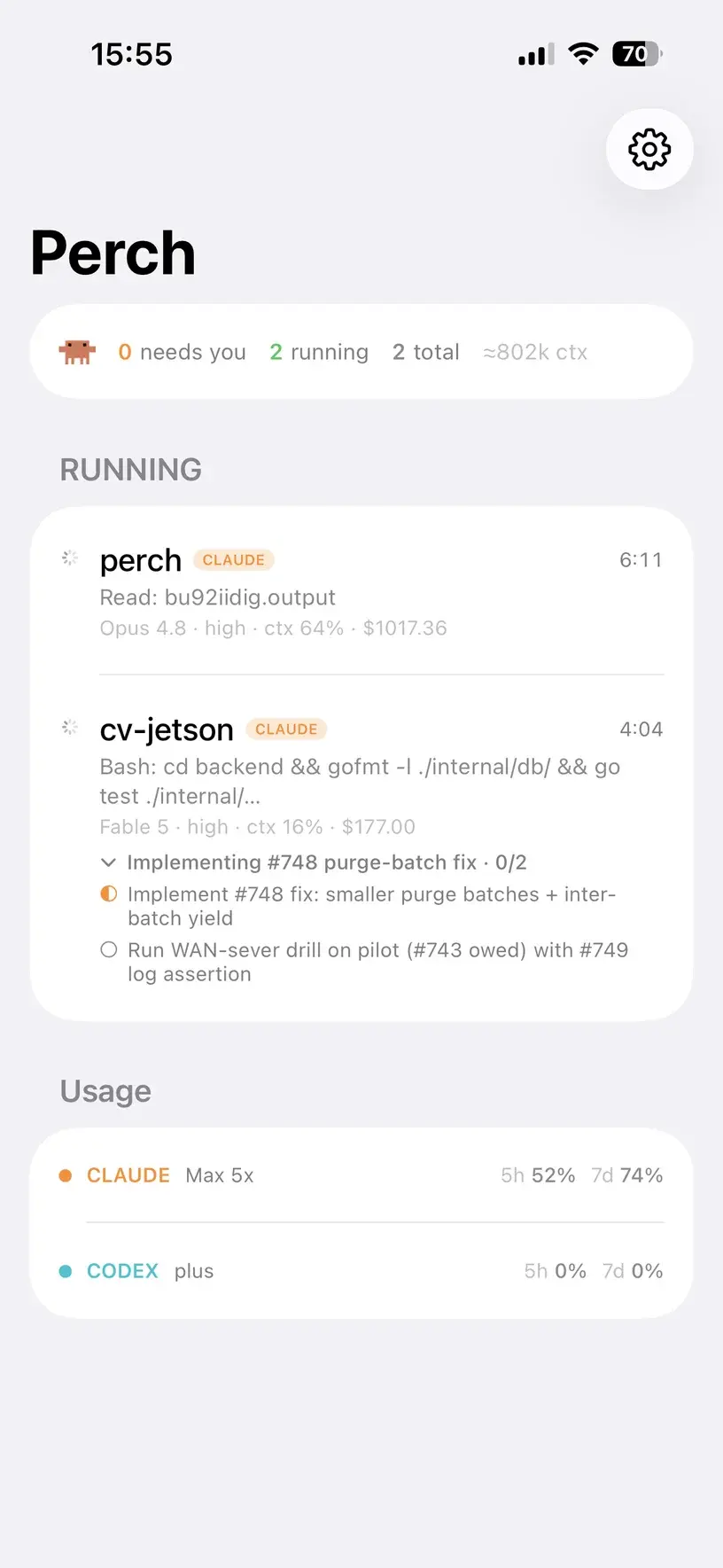
What you can do from the phone
With the $29 licence
- Every Claude Code session on your Mac, with its live state, mirrored on the phone
- A Live Activity on the lock screen while sessions work
- Allow and Deny on the permission alert, with Face ID before Allow
- “Allow and don't ask again” when Claude Code suggests a rule
- Claude's multiple-choice questions, answered with a tap — off by default
- The same alerts on your Apple Watch
With Perch Pro
- Read the session's whole conversation
- Type a new instruction into Claude Code's own composer, line breaks and all
- Stop a turn that's going wrong
A subscription, bought in the iPhone app. What Pro adds.
Where Claude Code has to run
Approving goes through Claude Code’s hooks, so the terminal doesn’t matter. Typing does: Perch won’t type at a pane it can’t name, so a session with nowhere safe to type gets no reply box rather than one that goes nowhere.
| Where the session runs | Allow and Deny | Reply and Stop |
|---|---|---|
| A plain tab in Warp, iTerm2, Ghostty or Terminal.app | Allow and Deny: Yes | Reply and Stop: No — there's no pane Perch can type into without the screen |
| Inside tmux or herdr, in any terminal | Allow and Deny: Yes | Reply and Stop: Yes, with the Mac locked |
| Rex | Allow and Deny: Yes | Reply and Stop: Yes, through Rex's own server, with no tmux |
Replying to Claude Code in tmux, and every terminal Perch supports.
Set it up
1
Install Perch on your Mac
macOS 13 or later. It installs its own hooks into Claude Code — there is no config file to edit.
2
Get Perch Companion on your iPhone
Free on the App Store (Perch – Agent Monitor), iOS 18 or later. The Apple Watch app comes inside it.
3
Pair the two
On the Mac, open Settings → Companion, turn on “Allow iPhone to connect”, and scan the QR code with Perch Companion. Then turn on “Send alerts to iPhone (background push)” in the same pane.
4
To type, start Claude Code inside tmux
Run tmux, then claude inside it, or use herdr or Rex. Typing also needs Perch Pro and has to be switched on in Perch's Settings on the Mac: paying for Pro isn't the same as agreeing to remote input.
5
Away from home? Add Tailscale
Pairing works over your Wi-Fi. With Tailscale on both the Mac and the iPhone, all of this works wherever the phone has a connection.
Your answers travel from the phone to your Mac over the paired, encrypted connection, on your Wi-Fi or your own tailnet — never through a Perch server. How approving from your iPhone stays safe.
Questions
Claude Code on your phone, specifically
Can I control Claude Code from my iPhone without SSH?
Do I need tmux?
Does my Mac have to stay awake?
What does it cost?
Does it work for Codex and the other agents too?
--port. The details, agent by agent.