Every Droid session, at a glance.
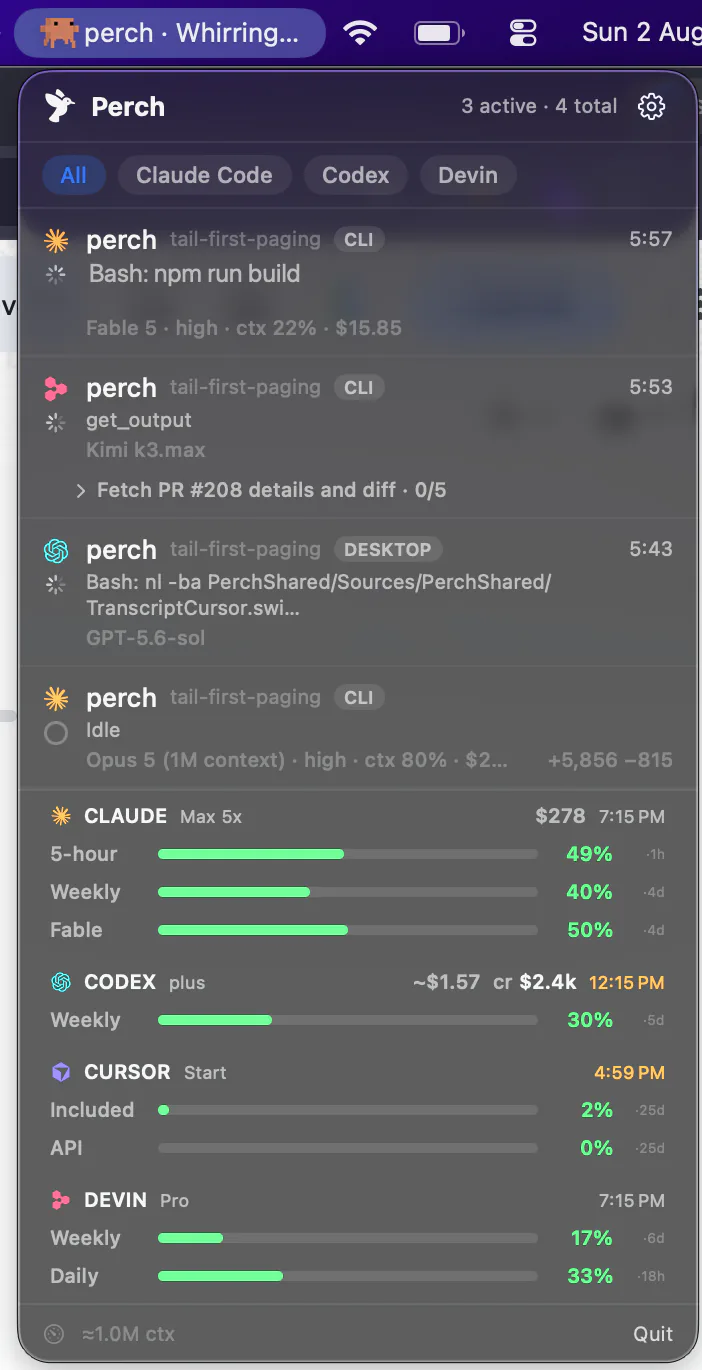
Perch sits in your menu bar and watches every session of Factory’s droid CLI on your Mac — working, waiting on a permission or a question, or finished — with the model, the effort and the context used. When one needs you, Allow or Deny from your phone, your watch or the Mac notification.
Answering from your phone, watch or notification needs Droid running in tmux. Watching it needs nothing.
How it works
Hooks, a status line, and the transcript underneath
Hooks
Seven hooks, beside your own
Perch adds its hooks to Droid's own hooks file — or its settings file, when there is no hooks file — handler by handler next to anything you already have. They report starting, working, waiting on you and finished as it happens, and bind each session to its own process, so two Droids in one folder are two rows.
Status line
Model, effort and context, from Droid itself
A small status line reports the model, the reasoning effort and how full the context is. If you already had your own status line it still shows, and it is put back as it was if you remove Perch.
Transcript scan
Sessions that started before Perch did
Droid writes each session to a transcript under ~/.factory, and every turn ends with a record of how it ended. So a session Perch's hooks never saw still shows up, and the scan can tell a finished turn from one you cancelled with Escape — only a finished one is announced.
What lands on the row
The question itself, not a count of questions
Working, with the tool and the time
Which tool the turn is running and how long it has run. An edit made with a patch shows the file it touches.
Waiting, and on what
A permission prompt reads “needs you” the moment Droid draws it. When Droid asks a question, the row and the alert show the question itself — “Question: Red or blue?” — instead of “Factory CLI is asking the user 1 question(s)”.
Finished, with the reply
When a turn ends on a reply, the “finished” notification says what Droid replied. A turn that ended on a command or a tool gets a plain “Droid finished its turn.”
Subagents stay inside their session
A subagent counts as part of the session that started it, rather than appearing as an extra row that reads “finished” and chimes. When it needs a permission, its parent shows as waiting for you.
Waiting for you to trust a folder
The first time you open Droid somewhere new, it asks whether to trust the folder and runs no hooks until you answer. That session gets a row reading “Waiting for you to trust this folder”, and becomes a normal row once you accept. A folder inside one you already trust doesn’t ask, and Perch knows that too.
On your phone and your watch
Droid rows reach Perch Companion and the Apple Watch app alongside every other agent: working, needs you and finished, with the model and the context used.
Answering
Perch reads the screen before it presses anything
Droid has no hook that can hold a permission decision: the one that fires before a tool runs fires for every tool, whether Droid then asks or not. So for Droid running in tmux, Allow and Deny are keys pressed in the pane, from your phone, your watch or the Mac notification. Before pressing one, Perch checks the terminal: the dialog must still be up, with the same command or the same file you were shown. If it isn’t, nothing is pressed and the prompt waits for you at the terminal. That part comes with every licence.
With Perch Pro you can also type a message to a Droid session and stop a turn that’s working. Perch checks which session the terminal is in right now before sending, so a reply never lands in a conversation you left with /new, /clear or /sessions. Stop is offered only while Droid is working, because Escape pressed at an idle prompt can open Droid’s rewind picker instead.
What stays at the terminal
Two tools asked for at once, and Droid’s “always allow”. Perch never offers those, so there is no way to widen what Droid may do from your phone.
A reply or Stop while Droid waits on a permission or a question. Both are switched off then, so a typed message can’t land on a dialog and approve it. If Perch’s hooks are off, both stay off and the row says why.
Stats
Tokens, models and active days
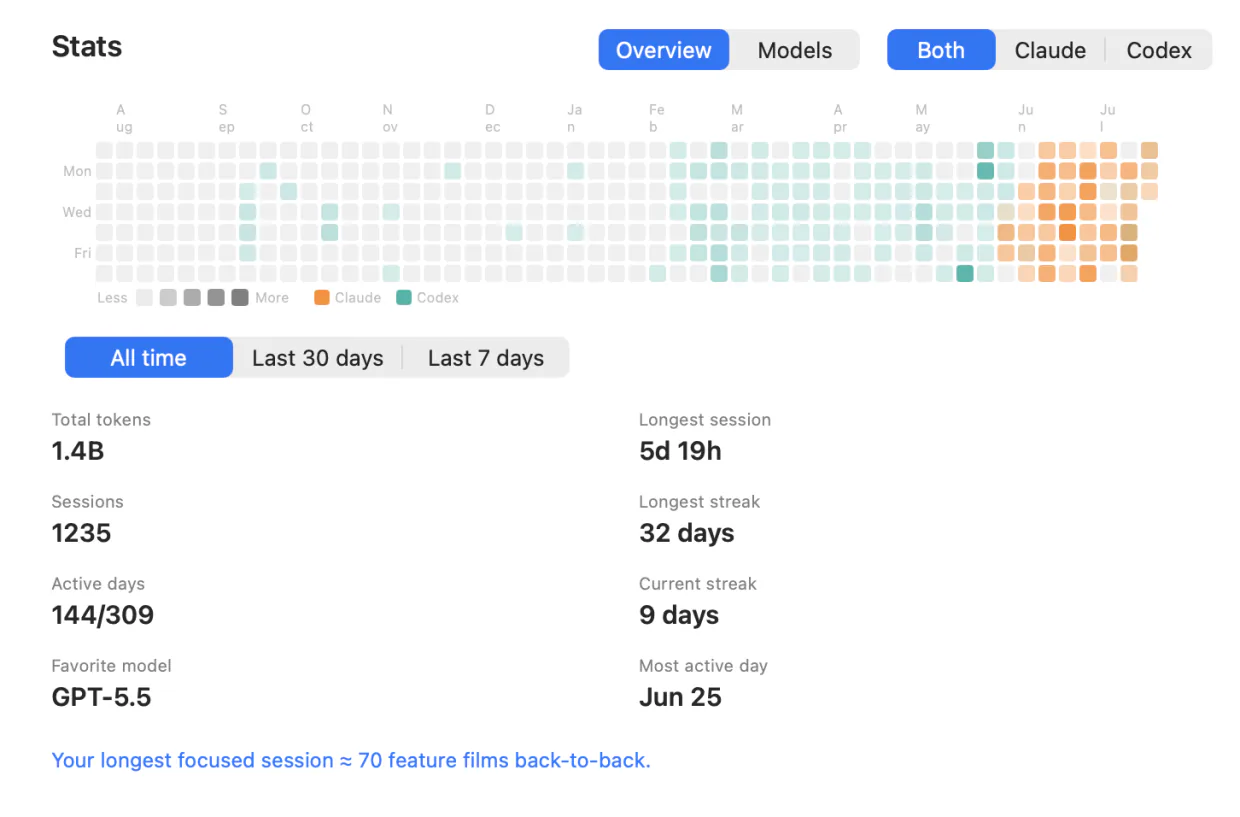
Droid sessions count in Stats: tokens, models, active time and prompts per day, the heatmap and your streaks, with a Droid filter beside the other agents on the Mac and in the iPhone’s Stats tab.
Droid keeps token totals per session, not per message, so a session that spans days has its tokens split across them by its prompts — an estimate. Cache reads are left out, the same rule as Claude Code, and Factory credits are not counted as cost.
What it doesn’t do
The gaps, named
Remote answers need tmux
Allow, Deny, replies and Stop were each measured against Droid in tmux, and that is the only place Perch sends them. A session anywhere else is watched, and answered at its terminal.
No usage bars or cost
Droid keeps per-session tokens and Factory credits on disk, and Perch doesn’t show them on the row yet. There is no account-usage strip for Droid either.
Not droid exec
One-shot droid exec runs have no prompt to answer and get no row.
Open sessions need a restart
Droid reads its hooks when it starts. A session already open when Perch installed them is watched through its transcript, without the live waiting state, until you restart it.
Each of these is where Perch stopped because it hadn’t watched the next step work, not a guess about what Droid can do. Claude Code is the agent Perch reads most completely, if you want to compare.
Pay once for the fleet. Subscribe for the conversation.
One licence covers every agent Perch supports, not just Droid — and includes the iPhone companion and all future updates.
Solo
- Lifetime license — pay once, keep it
- One Mac at a time; deactivate in-app to move
- iOS companion, push alerts & Live Activities included
- Notarized app with signed automatic updates
Team
- A license key for every teammate — not one shared key
- Assign and revoke seats by email from your customer portal
- Your seat is claimed on purchase; invite the rest by email
- Same lifetime license and updates on every seat
- Perch Pro is separate — each teammate who wants it subscribes in the iPhone app
Pro
Most popularor $29 a year
Launch price until 15 November, then $49 a year
- A Mac app licence included, for as long as you subscribe — nothing separate to buy
- Read your agents’ conversations from your iPhone, and reply straight back into the session
- Works with your Mac locked, from anywhere your phone can reach it*
Free to download. Pro is an in-app purchase.
* What Pro can reach depends on the agent and on where its session is running. Replying needs the session inside tmux or herdr (Droid, tmux only) — OpenCode uses its own local server instead — and it has to be switched on in Settings, because paying for Pro is not the same as consenting to remote input. Reading a conversation works wherever the session runs. Each agent’s own page says exactly what it supports, and what it doesn’t.
Prices in USD, tax included.